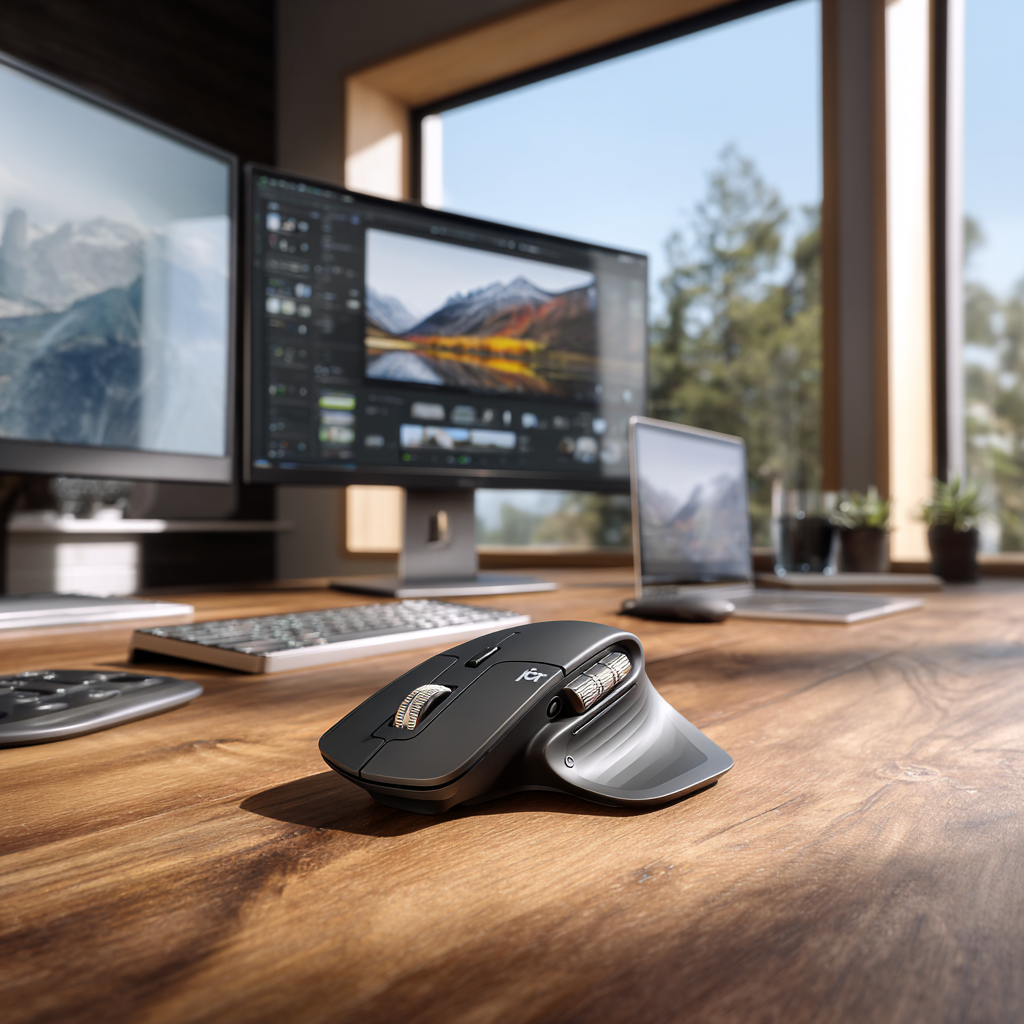
The Logitech MX Master 4 represents the evolution of the world's most popular productivity mouse. Priced at $120, this flagship peripheral introduces haptic feedback, a new Actions Ring shortcut system, and refined ergonomics while maintaining the features that made its predecessors legendary. With 70 days of battery life, 8,000 DPI precision, and comprehensive customization through Logi Options+, the MX Master 4 targets professionals seeking the ultimate pointing device. After weeks of intensive use across design work, productivity tasks, and everyday computing, we evaluate whether this premium mouse justifies its price and delivers meaningful improvements over the excellent MX Master 3S.
Ergonomics and Design
The MX Master 4 maintains the iconic elevated shape and thumb rest that have defined the series. The ergonomic sculpting conforms naturally to the hand's resting position, reducing strain during extended use. The contoured design supports a relaxed palm grip with fingers curving gently over the buttons, creating a comfortable hold that becomes unnoticeable during all-day work sessions.
However, this optimized right-hand design means left-handed users must look elsewhere. While unfortunate, this specialization enables the exceptional ergonomics that make the MX Master series so comfortable for right-handed users. The mouse balances substantial heft with distributed weight that prevents fatigue, feeling solid without being burdensome.
Material quality meets the premium price point. The soft-touch coating on contact surfaces provides secure grip without feeling sticky or attracting excessive fingerprints. The machined metal scroll wheel adds a premium touch while the textured thumb rest ensures control even during rapid movements. Build quality throughout inspires confidence in long-term durability.

Haptic Feedback Innovation
The headline feature distinguishing the MX Master 4 from predecessors is haptic feedback. A rubberized panel under the thumb vibrates as you interact with supported applications, providing tactile confirmation for specific actions. Logitech partnered with Adobe to integrate haptic responses into Photoshop and Lightroom, where the system triggers subtle vibrations for actions like cropping, aligning objects, or adjusting parameters.
In practice, the haptic feedback adds a layer of tactile engagement that makes interactions feel more physical and immediate. However, the feature currently supports limited applications, feeling more like promising technology awaiting broader adoption than fully realized functionality. As more software vendors embrace the haptic API, the feature's utility should increase significantly.
For current implementation, haptic feedback enhances but doesn't transform the experience. It works well in supported applications, providing satisfying confirmation clicks that reduce reliance on visual feedback. However, users shouldn't purchase based solely on this feature until software support expands substantially.
Actions Ring: Productivity Acceleration
The Actions Ring represents a more immediately useful innovation. Squeezing the thumb rest button triggers a circular overlay around your cursor displaying customizable shortcuts. This radial menu provides instant access to frequently used commands, eliminating trips to toolbars or memorizing keyboard shortcuts.
Configuration through Logi Options+ enables assigning application-specific shortcuts to each Actions Ring position. In Photoshop, you might assign undo, layer operations, and filter shortcuts. In Excel, formulas, formatting, and navigation commands. The system learns your workflow, becoming more valuable as you develop muscle memory for specific shortcut positions.
The Actions Ring significantly accelerates productivity tasks requiring repeated commands. During testing, photo editing workflows accelerated noticeably as common adjustments became single squeeze + gesture operations. The feature proves particularly valuable in applications with complex toolsets where finding specific commands requires multiple clicks or memorizing obscure shortcuts.
Scroll Wheel Excellence
The MagSpeed electromagnetic scroll wheel remains among the mouse's strongest features. The metal wheel features both ratcheted and free-spin modes, intelligently switching based on scrolling velocity. Slow scrolling engages precise ratcheting for controlled movement through spreadsheets or code. Rapid scrolling releases into smooth free-spin mode for blazing through long documents.
The electromagnetic mechanism enables infinite scrolling without mechanical wear concerns. The weighted wheel builds momentum during rapid scrolling, enabling effortless navigation through extensive content. A subtle click engages when switching between modes, providing satisfying tactile feedback that confirms mode changes.
Horizontal scrolling via the thumbwheel adds convenient two-dimensional navigation. The thumbwheel features click functionality for middle-click operations, expanding input options. Both wheels customize through software, enabling assigning different functions based on application context.
Precision and Performance
The optical sensor delivers 8,000 DPI maximum sensitivity with adjustable steps for finding your preferred tracking speed. While most users won't require maximum DPI, the high-quality sensor ensures accurate tracking across various surfaces including glass. Cursor movement feels precise and predictable, never exhibiting the acceleration or jittering that plagues lesser mice.
The 125Hz polling rate represents the mouse's sole performance limitation. Competitive gamers will prefer 1000Hz+ gaming mice, but for productivity work, 125Hz suffices completely. The focus on precision, customization, and comfort suits office work better than twitchy gaming scenarios anyway.
Technical Specifications
| Sensor | 8,000 DPI optical |
|---|---|
| Polling Rate | 125Hz |
| Battery Life | 70 days on full charge |
| Quick Charge | 3 hours from 1 minute charge |
| Connectivity | Bluetooth, Logi Bolt USB receiver |
| Multi-Device | Up to 3 devices, Easy-Switch button |
| Buttons | 8 programmable buttons |
| Dimensions | 124.9 x 84.3 x 51mm |
| Weight | 145g |
| Price | $120 |
Multi-Device Connectivity
The Easy-Switch button enables seamless transitions between up to three paired devices. Press the button to cycle through computers, displaying connection status via small LEDs. The switching happens near-instantaneously, making the feature practical for users regularly working across multiple computers.
Connectivity options include Bluetooth and the included Logi Bolt USB receiver. Bluetooth provides cable-free convenience while the receiver ensures reliable connection quality. The receiver stores conveniently in the mouse base when traveling, preventing loss. Connection reliability proved excellent during testing with no dropouts or lag noticed across either connection method.
Logi Flow enables controlling multiple computers with a single mouse, moving the cursor seamlessly between machines and even copying content across systems. This feature transforms multi-computer workflows, eliminating the constant switching that fragments concentration. However, Logi Flow requires all computers running Logi Options+ software, limiting cross-platform utility.
Software and Customization
Logi Options+ provides comprehensive customization for the MX Master 4. Every button supports reassignment with application-specific profiles enabling different functions based on active software. The interface presents configuration options clearly, making advanced customization accessible even for less technical users.
Application-specific profiles automatically activate when launching supported software. Photoshop, Excel, Chrome, and hundreds of other applications feature pre-configured button mappings that you can accept or customize. This context-awareness makes buttons more valuable by repurposing them based on actual needs rather than maintaining universal functions.
Gesture customization through the scroll wheel and buttons enables creating complex macros and shortcuts. You can program button combinations, configure wheel tilt functions, and assign keyboard shortcuts to physical buttons. The software stores profiles in the cloud, syncing configurations across computers for consistent experiences.
Battery Life and Charging
The claimed 70-day battery life proves conservative during testing. With typical productivity use involving 8-hour workdays, the mouse consistently exceeded two months between charges. Power efficiency improvements over previous generations enable this exceptional endurance without increasing device size or weight.
USB-C charging provides modern convenience and broad compatibility. The quick charging capability delivers three hours of use from just one minute of charging, eliminating anxiety about running out of power. A full charge takes approximately 90 minutes, reasonable given the extended runtime. The mouse remains usable while charging, preventing workflow interruption.
Strengths
- Exceptional ergonomic design for all-day comfort
- Innovative Actions Ring accelerates workflows
- MagSpeed electromagnetic scroll wheel
- 70-day battery life with quick charging
- Seamless multi-device connectivity
- Comprehensive software customization
- Premium build quality and materials
- 8,000 DPI precision sensor
Limitations
- Right-hand only design excludes left-handed users
- Haptic feedback limited to few applications currently
- Premium $120 price point
- 125Hz polling rate low for gaming
- Requires software for advanced features
- Incremental upgrade over MX Master 3S
Comparison with MX Master 3S
Against its predecessor, the MX Master 4 adds haptic feedback, Actions Ring, and refined ergonomics. The MX Master 3S remains excellent and now costs less, making it a better value proposition for users who don't need the new features. However, the Actions Ring alone provides sufficient productivity benefits to justify the upgrade for power users constantly accessing shortcuts.
For users already owning an MX Master 3 or 3S, the upgrade represents an evolution rather than revolution. The core experience remains similar with the same excellent ergonomics, scroll wheel, and multi-device functionality. New buyers should choose the MX Master 4, while existing users can reasonably wait for the next generation unless the Actions Ring specifically appeals to their workflow.
Final Verdict
The Logitech MX Master 4 earns its title as the ultimate productivity mouse through refined ergonomics, innovative features, and comprehensive customization. The Actions Ring provides genuine productivity acceleration, while the electromagnetic scroll wheel remains unmatched for document navigation. The 70-day battery life eliminates charging anxiety, and multi-device connectivity serves modern multi-computer workflows.
The $120 price positions this as a professional tool rather than casual peripheral. However, for users spending hours daily manipulating cursors, the comfort, precision, and productivity enhancements easily justify the investment. The mouse disappears during use in the best way possible, becoming an extension of your hand rather than an interface you consciously manage.
For professionals seeking the absolute best pointing device, the MX Master 4 delivers. It represents the culmination of years of refinement, incorporating user feedback and innovative features into the definitive productivity mouse. While incremental over the 3S, it maintains Logitech's position at the top of the productivity mouse category.